Spotify Redesign
Parsons x Yellowbrick
Solo project
UX designer and researcher
July-December 2025
Design Hypothesis
The Problems:
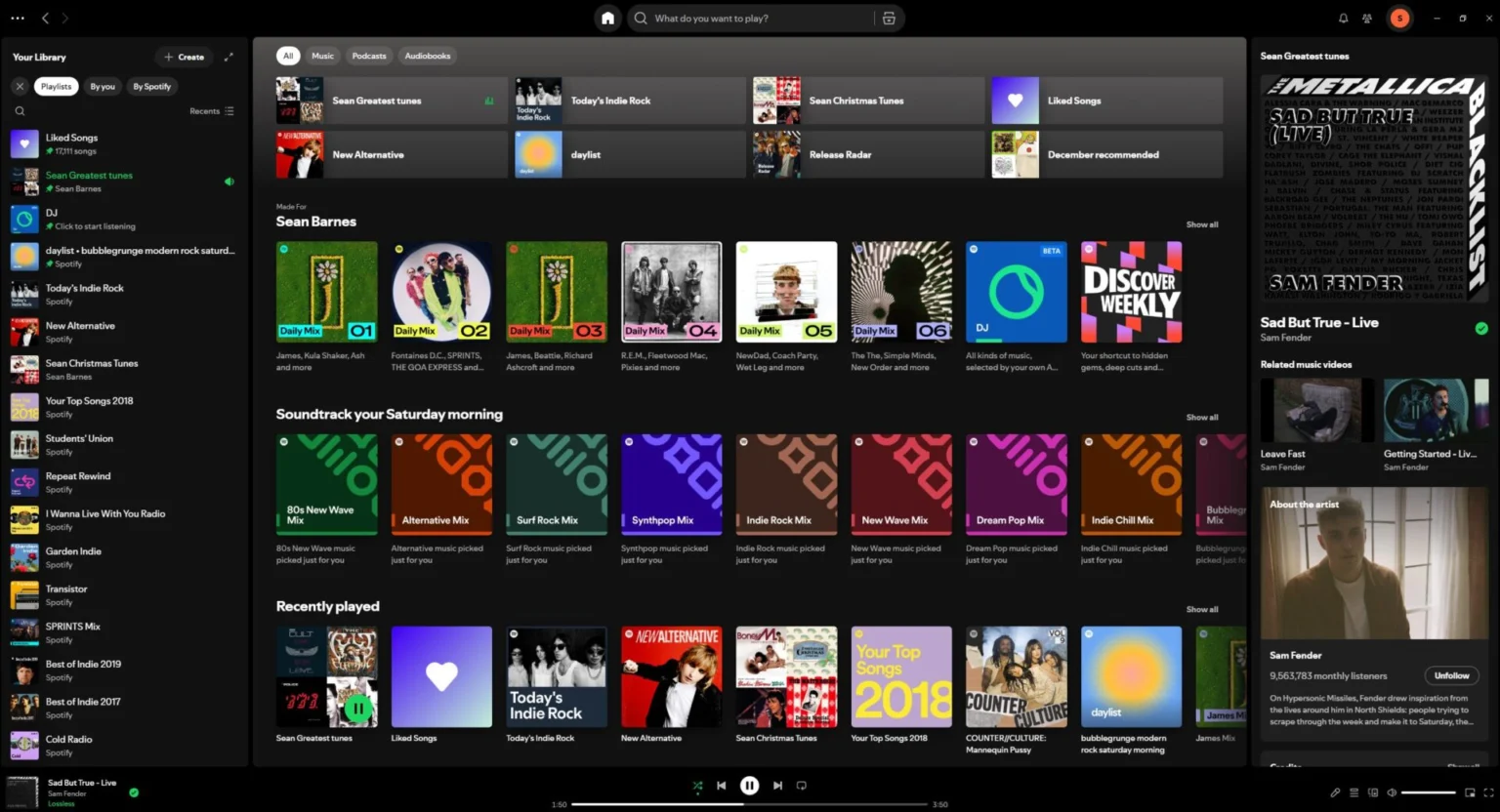
- Constant clutter of irrelevant songs, playlists, audiobooks, artists, and podcasts on the homepage
- Too many unused feeaatures or old features being replace/removed
The Solutions:
- Less cluttered homepage interface
- Customizable features for personalization
Research Goals and Surveys
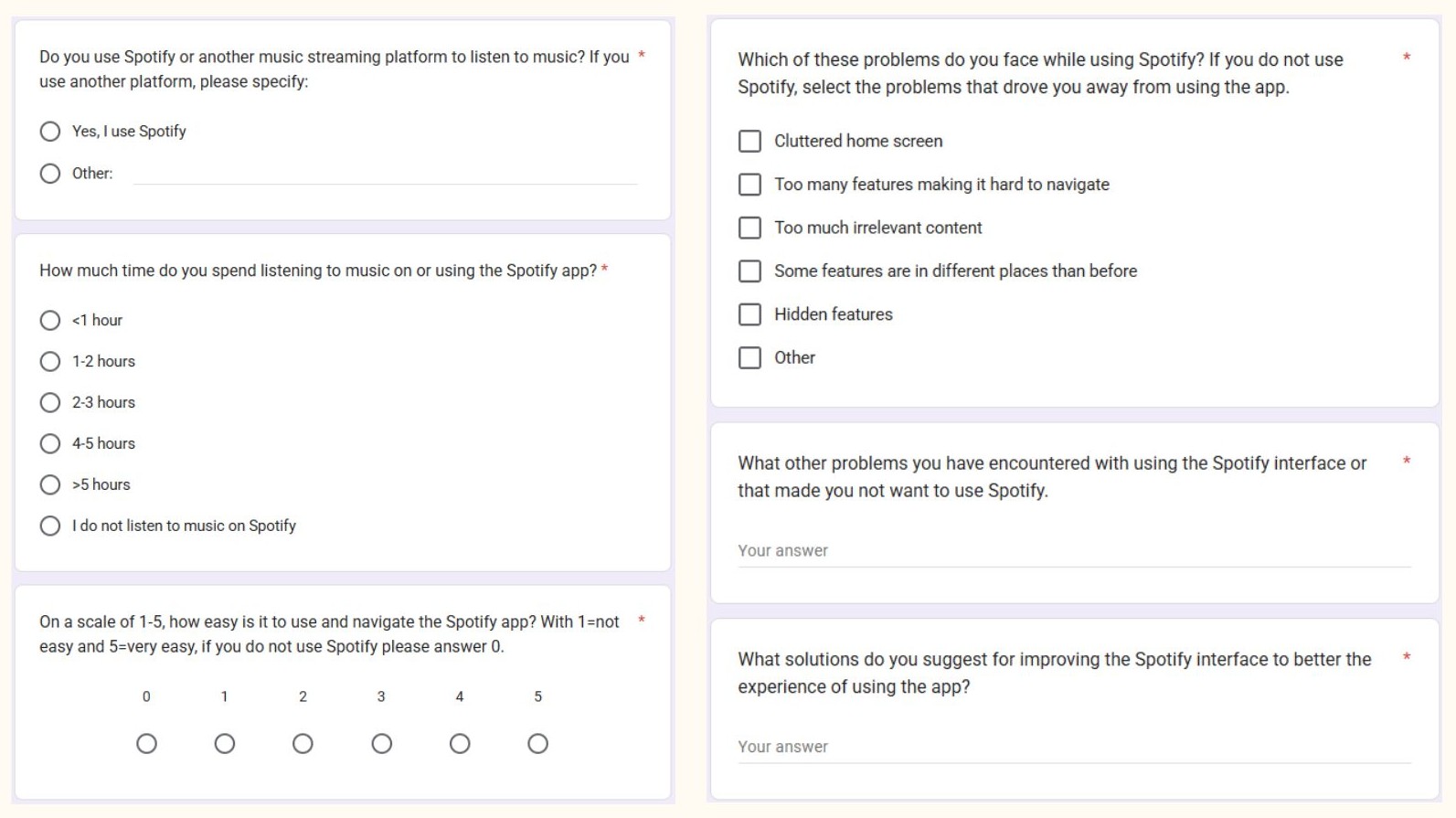
I distributed a short Google Forms survey to students at the university, of which 15 people have responded, to find out:
- How many users use and listen tomusic on Spotify every day
- How often do user suse and listen tomusic on Spotif yevery day
- How many users do not use Spotify
- What other accessibility problems do users encounter while using Spotify
- What solutions or features users would like to see in the Spotify app or browser
- 80% of respondents use Spotify as their music streaming app
- 33.3% of them listen to music for more than 5 hours a day
- 40% rated Spotify a 4 out of 5 for ease of use
- 46% of users agreed that Spotify was extremely cluttered
- 33% of user agreed that there are too many features
- 33% of users agreed that there is too much irrelevant content
- Declutter the homescreen to show only relevant content
- Keeping features consistent and accessible
- More personalization and filtering options
Wireframing and Prototyping
Since this is a redesign of the app, I decided to keep its original style guide as to keep the design consistent and something users are already used to.
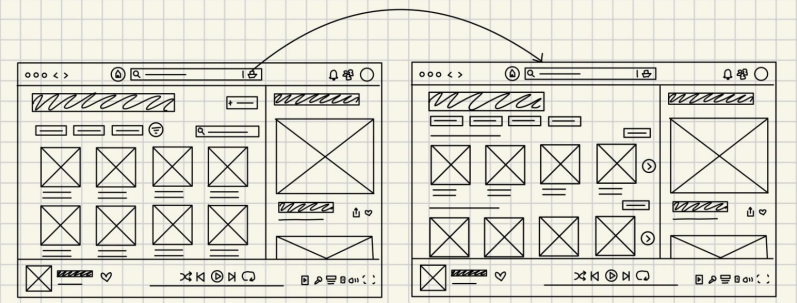
Early lo-fi designs
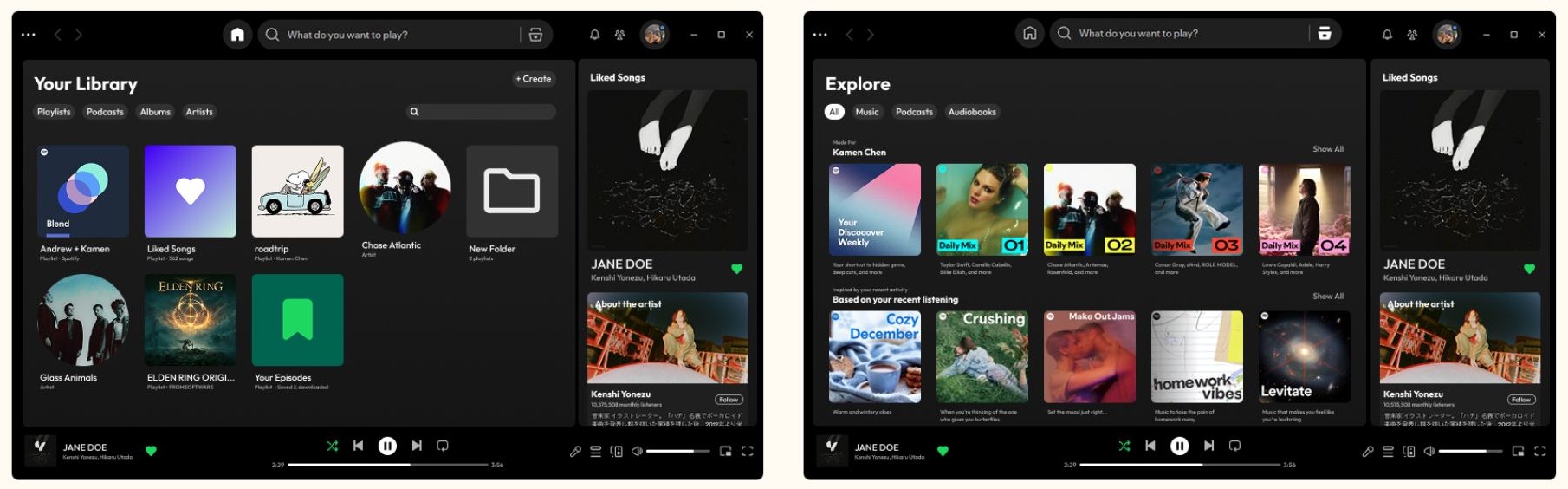
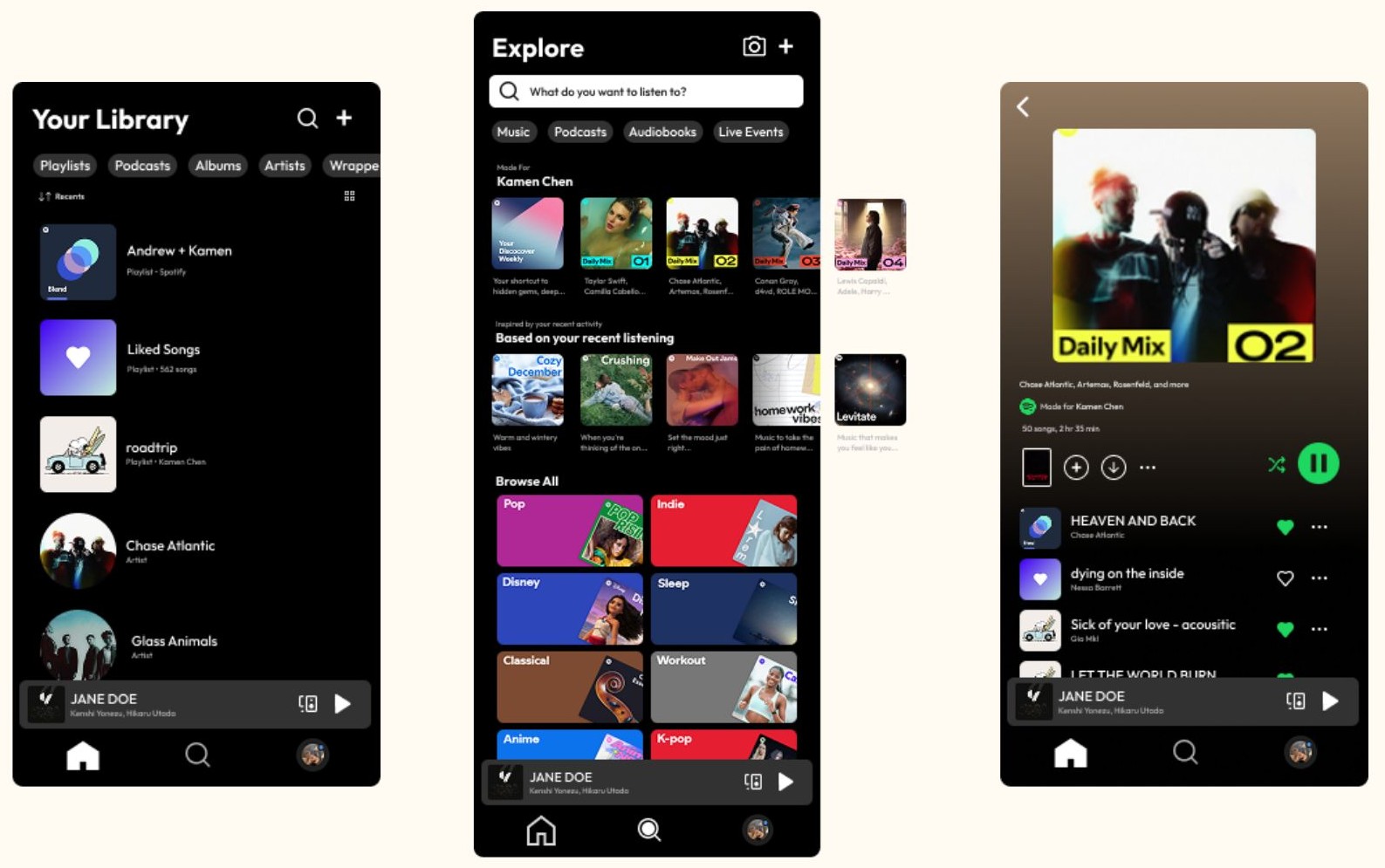
I came up with low fidelity wireframe designs for botht he desktop and mobile versions of the app, keeping most design items the same but replacing the homescreen with the user’s library so all their saved playlists are the first thing they see and not random irrelevant playlists. Next, I made the “browse” feature into an explore button which would show the different random playlists that used to be on the old home screen, giving users a choice to see them or not. Lastly, replacing the plus icon to add to favorites with the original heart icon as users feel it is more intuitive and nostalgic.
.png)
Later hi-fi designs
Using the wireframes and the actual app as reference, I have designed the high fidelity models of what the app would look like with the new design changes implemented. Again, staying consitent by using Spotify's style guide to make sure users feel right at home with the color scheme, fonts, and icons.
What I learned
- Researching about a design problem and coming up with a hypothesis for a solution to that problem
- Thinking of research goals and creating surveys to gather data to answer those goals
- Designing low and high fidelity wireframes and prototypes for the solution to the problem


